Guide/SendApp Agent/Channels
Activate the SMS channel
Not every customer uses WhatsApp: SMS remains the most universal channel for reminders and short notifications. SendApp Agent handles it like the other channels, so you can use it in campaigns and reminders.
Updated on June 16, 2026 · 4 min read
Before you start
- An Account (AI bot) on SendApp Agent
- The SMS channel available in your plan
What it's for
The SMS channel is for short transactional and operational messages: confirmations, appointment reminders, alerts. It's especially useful as a backup channel when the customer can't be reached on WhatsApp.
Activate the channel
- 1
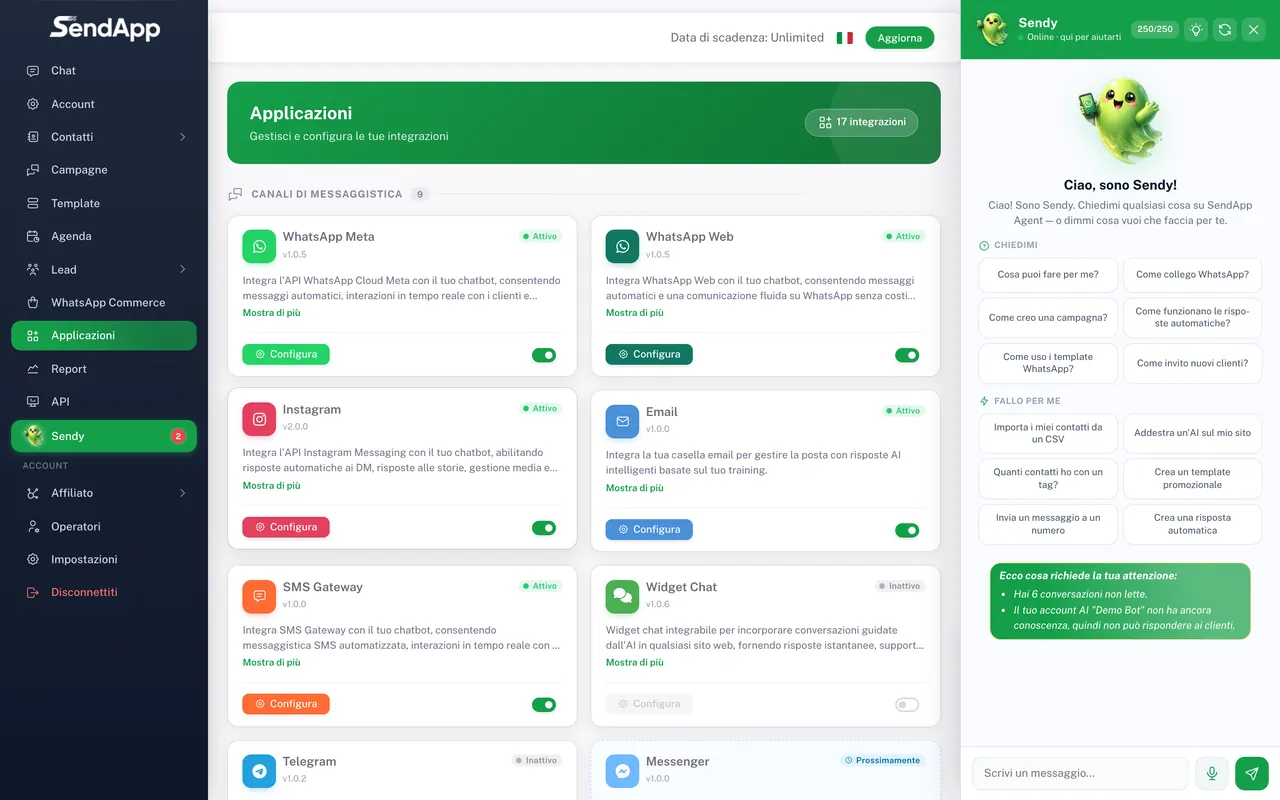
Open "Applications" and choose "SMS"
From the Applications menu, select the SMS channel and the Account to connect it to.
- 2
Configure the gateway
Enter the details required for SMS sending (gateway/credentials) and save.
- 3
Use SMS where you need it
Once active, you can choose SMS as a channel in campaigns and reminders.
SMS is ideal for reminders: set up an SMS reminder for anyone who didn't reply on WhatsApp. See the guide "Agenda: bookings, reminders, and Google Calendar".
Best practices
- Keep your texts short and clear: SMS has limited space.
- Only send to people who gave consent, and include a recognizable reference (business name).
- Use SMS for useful messages (reminders, confirmations), not for promotional spam.
Ready to put it into practice?
Open SendApp and follow the steps in this guide. Need help? Support is one message away.