Guide/SendApp Agent/Channels
Connect an email inbox (IMAP)
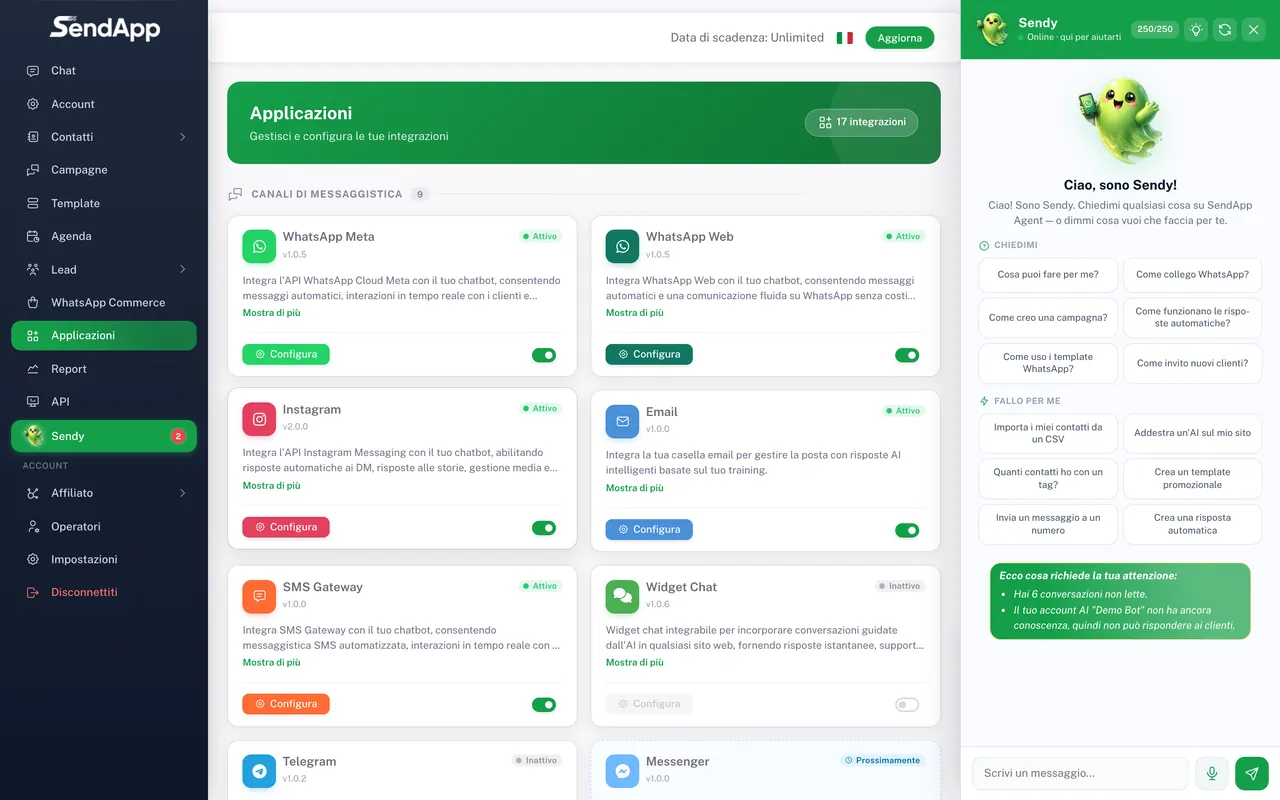
SendApp Agent can also handle email as a channel: you connect an inbox via IMAP and customer emails arrive in the same inbox as WhatsApp and your other channels, with the AI able to respond. It's handy for unifying written support and messaging in one place.
Updated on June 16, 2026 · 6 min read
Before you start
- An email inbox with IMAP/SMTP access
- Your provider's details (server, ports, credentials)
- An Account (AI bot) on SendApp Agent
How it works
The connection uses IMAP to read incoming emails and SMTP to send replies. Once configured, emails appear in the Chat section as conversations, and the AI can respond.
Connect the inbox
- 1
Open "Applications" and choose "Email"
From the Applications menu, select the Email channel and the Account to connect it to.
- 2
Enter the IMAP/SMTP details
IMAP server and port (incoming), SMTP server and port (outgoing), inbox email and password. You'll find these details in your provider's settings.
- 3
Save and verify
Confirm the configuration. Incoming emails start appearing in the Chat section.
Two ways to send
- With your own SMTP (recommended)
- Replies go out from your own SMTP server: no sending limit imposed by SendApp and better deliverability because you use your own domain.
- With SendApp sending
- Alternatively, you can use sending managed by SendApp, subject to a monthly email quota defined by your plan.
For the best deliverability, use an inbox on your own domain and correctly configure your domain records (SPF/DKIM on the provider side). It increases the chance that replies don't end up in spam.
Common errors
- IMAP connection failed
- Check the server, port, and that IMAP access is enabled by the provider. Some providers require a dedicated "app password".
- Replies aren't going out
- Verify the SMTP details (server/port/credentials) and that sending is authorized by the provider.
Ready to put it into practice?
Open SendApp and follow the steps in this guide. Need help? Support is one message away.