Guide/SendApp Agent/Reports & API
Reports, statistics, and AI Insights
The numbers tell you what's working. SendApp Agent offers activity statistics, automatic suggestions (AI Insights), and reports for every campaign. Here we'll see where to find them and how to use them.
Updated on June 16, 2026 · 5 min read
Before you start
- A SendApp Agent account with activity underway (conversations, campaigns)
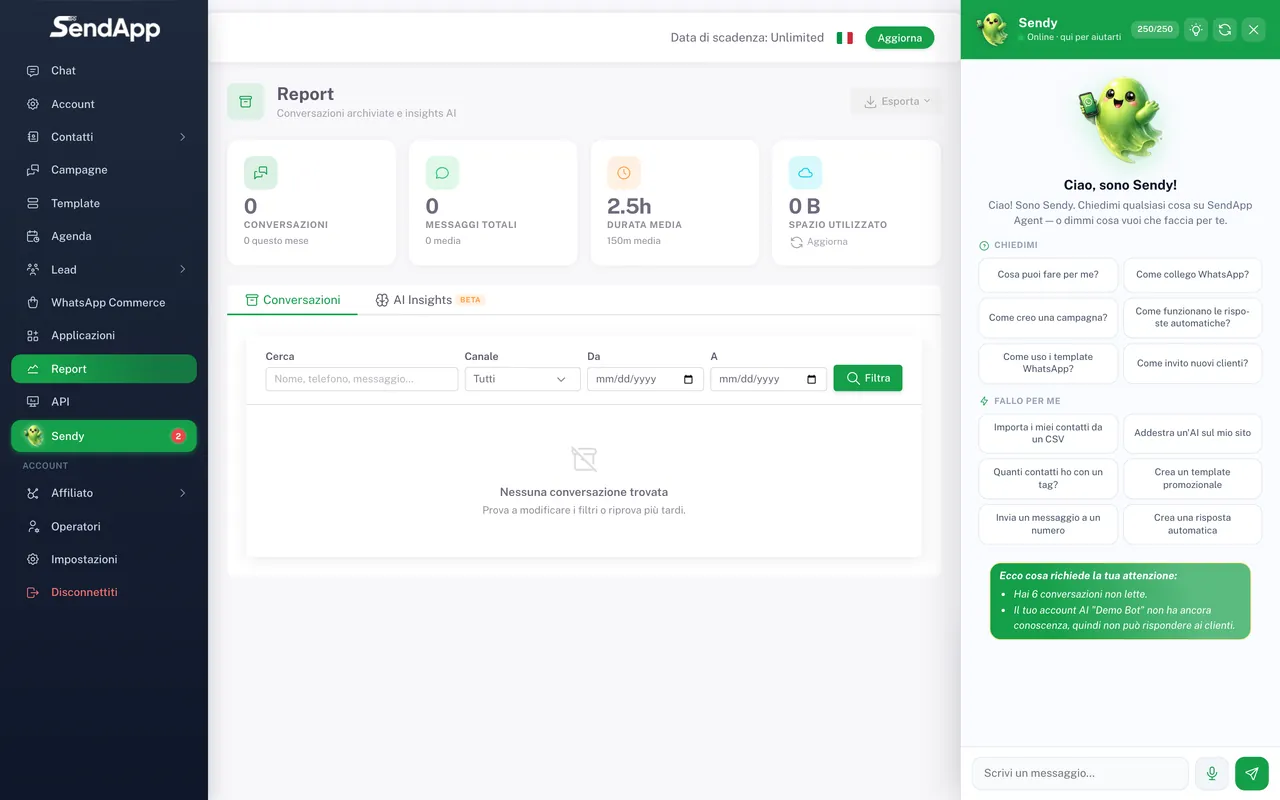
Where you find the data
- Report
- The Report section gathers activity statistics and AI Insights (suggestions generated from analyzing conversations).
- Campaign report
- Each campaign has its own dedicated report (sent, delivered, read, replies, failed) in the Campaigns section.
- Exports
- You can export conversations (for backup or external analysis) in the supported formats.
The metrics that matter
- Delivered vs sent
- How many messages actually arrive. A large gap signals invalid numbers or delivery problems (e.g., a template with no payment method on the WABA).
- Read
- An indicator of interest. Especially useful on campaigns to understand whether the subject/content is working.
- Replies
- The warmest contacts, the ones to focus your follow-up on.
- AI Insights
- Automatic suggestions on what to improve in the AI's training, based on real conversations.
For campaign delivery rate, compare "delivered/sent": it's more reliable than the read rate. If you see a lot of failures, clean up your contacts (international prefixes) and check the payment method on the WABA.
What NOT to expect
The reports are geared toward operations (activity, campaigns, AI insights) and data export. For very advanced analysis (cohorts, custom funnels), it's better to export the conversations and work on them in a dedicated tool.
Ready to put it into practice?
Open SendApp and follow the steps in this guide. Need help? Support is one message away.