Guide/SendApp Agent/AI & Training
Training the AI: training, rules, and reply tone
The SendApp Agent AI replies to your customers using what you've taught it. The quality of the replies depends almost entirely on how you train it: a well-organized knowledge base and clear rules make the difference between an assistant that sells and one that says “I don't know.”
Updated on June 16, 2026 · 9 min read
Before you start
- A SendApp Agent account
- A connected channel (e.g. WhatsApp)
- The content to teach it: website, PDFs, price lists, FAQs
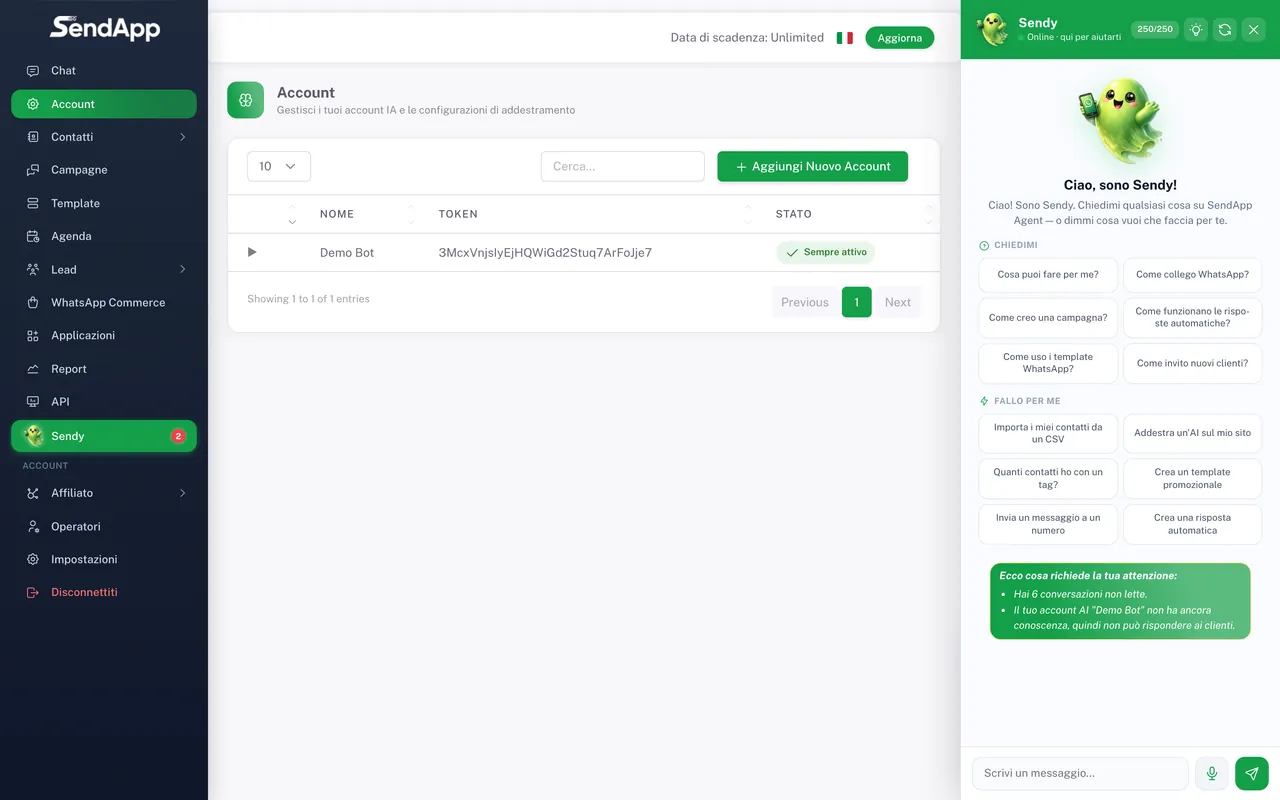
What an “Account” is (the AI's brain)
In SendApp Agent, an “Account” is the AI bot: the collection of information (website, documents, rules) the assistant relies on to reply, plus the connected channels. You create and train it from the Account section in the menu. You can have multiple Accounts; keep them organized by product/service, because an Account that mixes different products leads to confused replies.
Uploading the knowledge base
- 1
Open the “Account” section
From the menu, select Account and choose the one you want to train (or create a new one).
- 2
Add the website
Paste the site's URL: the AI extracts its public content. Use up-to-date, relevant pages (products, services, FAQs, contacts).
- 3
Upload documents and price lists
Add PDFs, product sheets, and price lists. They are the most precise source for prices and technical details.
- 4
Save and wait for processing
The AI indexes the content. After a moment, it's available for replies.
If you sell multiple products with identically named plans (e.g. “Basic”, “Pro”), separate the content by product and clearly state the real prices in the documents: you'll prevent the AI from confusing the price lists or denying prices that actually exist.
Custom rules (admin rules)
Rules are instructions the AI must always follow, on top of the knowledge. They serve to set behavior and limits. Examples:
- “Don't promise discounts that aren't in the price list.”
- “If they ask about availability, invite them to leave their name and city.”
- “For refund requests, always hand the conversation over to an operator.”
- “Keep a friendly tone and use an informal register.”
Tone, personality, and language
- Tone and personality
- Set the style (formal/informal, concise/detailed). This is what makes the assistant “yours” and consistent with your brand.
- Reply language
- The AI mirrors the language of the customer's last message and re-evaluates it at every turn: if the customer switches to English, it replies in English. It's multilingual worldwide, no need to set up language lists.
Handover to an operator
Not everything should be handled by the AI. You can define when a conversation should pass to a person: at the customer's explicit request, on certain keywords (e.g. “complaint”, “refund”), or manually, by pausing the AI with the toggle in the chat. When the AI is paused, only the operator replies.
Testing the AI before going live
- 1
Use the test preview
In the Account section, write questions the way a real customer would.
- 2
Check prices and procedures
Verify that it replies with the real prices and doesn't invent procedures.
- 3
Refine rules and content
Where it gets things wrong, add a document or a rule and try again.
If the AI replies “I don't know” even though it has the data, it usually means the content wasn't indexed properly or is too long/disorganized. Reorganize the documents by topic and make sure the price list is readable (text, not images).
Ready to put it into practice?
Open SendApp and follow the steps in this guide. Need help? Support is one message away.