Guide/SendApp Official/Getting started
Connect your WhatsApp number (Embedded Signup)
SendApp Official uses Meta's official WhatsApp Business Cloud API. Connecting your number happens through Embedded Signup, Meta's official flow built into the platform. When you're done, your WhatsApp Business Account (WABA) is connected and ready.
Updated on June 16, 2026 · 6 min read
Before you start
- A SendApp Official account
- A number eligible for the API (not already active on another WhatsApp Business App)
- A Meta account that manages the business
What it's for
Connecting your WABA is the first step: without a connected number you can't send templates or manage conversations. With the official API you get stability, the option of a green check, and access to templates approved by Meta.
Procedure
- 1
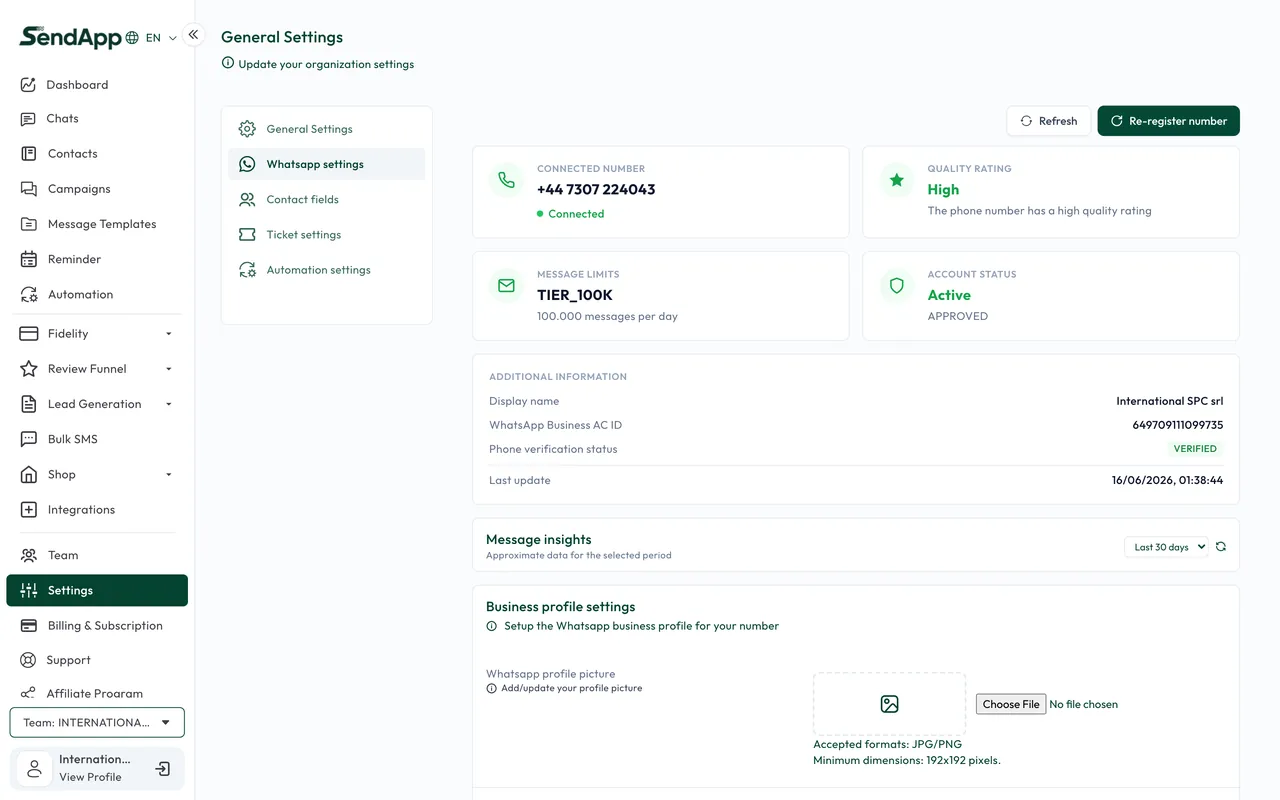
Open Settings → WhatsApp
In the WhatsApp channel settings you'll find the button to start Embedded Signup.
- 2
Start Embedded Signup
Meta's official flow opens. Sign in with the account that manages the business and follow the on-screen instructions. The screens, number selection, and verification are handled by Meta (if in doubt, see Meta's Help Center).
- 3
Complete the number registration
When you're done, the number is registered on your WABA and connected to SendApp; the webhook address for receiving messages is also set.
- 4
Sync your templates
Templates already approved on your WABA are imported and become available for campaigns.
The green check and business verification are requested from Meta's Business Manager and depend on Meta's approval: they aren't automatic.
Alternatives and management
- Manual token entry: if you already have a Meta setup, you can connect the number by entering the token.
- Code verification for new numbers: some numbers require a verification code (SMS/call) handled by Meta.
- Disconnection: you can disconnect the business profile from the channel settings.
Common errors
- Number already in use
- The number is active on another WhatsApp Business app. It must first be released on Meta's side.
- Templates aren't delivered
- Often there's no payment method on the WABA: marketing templates stay "sent". Add a card in Business Manager.
Ready to put it into practice?
Open SendApp and follow the steps in this guide. Need help? Support is one message away.