Guide/SendApp Cloud/Calendar & reminders
Reminders, bookings, and Google Calendar
The SendApp Cloud agenda brings together reminders and bookings. It sends WhatsApp alerts before an appointment, collects bookings via a public page, and syncs with Google Calendar.
Updated on June 16, 2026 · 6 min read
Before you start
- At least one connected number
- For sync: a Google account
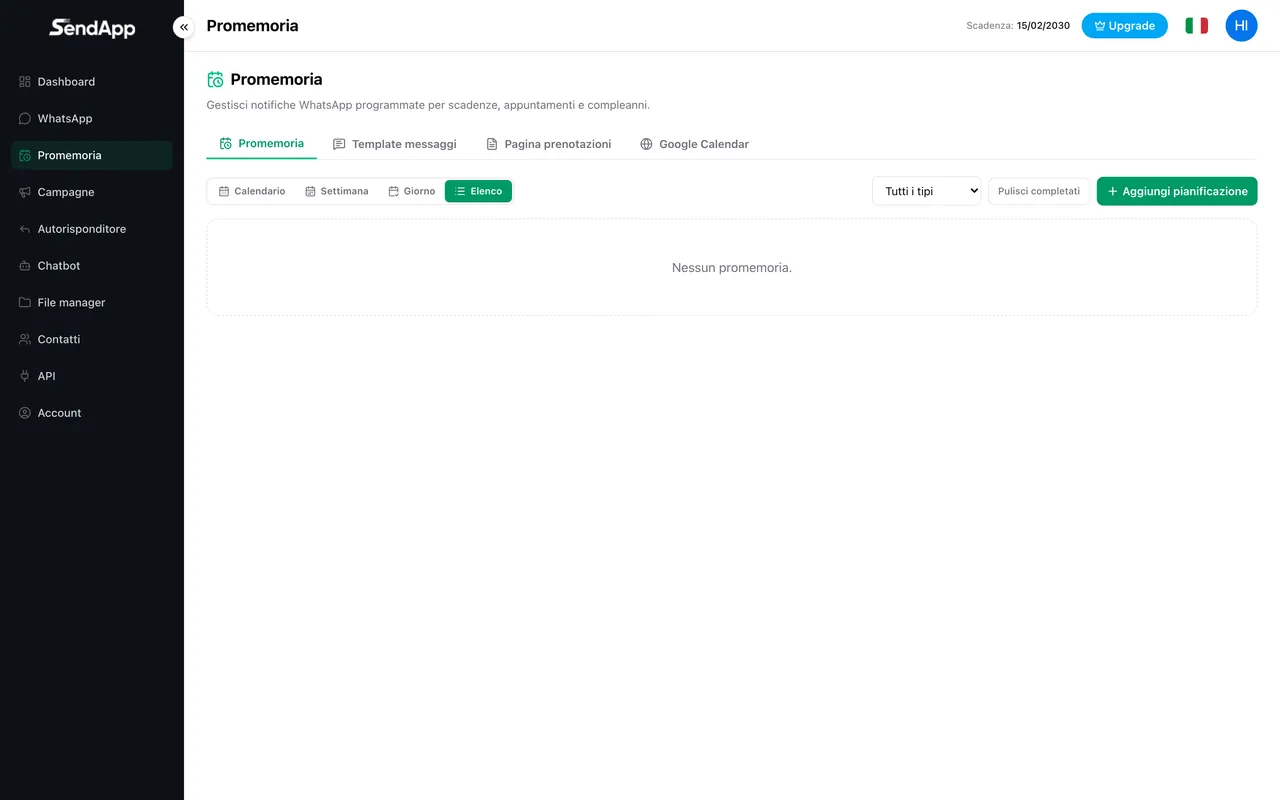
The four areas
- Reminders
- You create an alert with date/time, a recipient number or group, and a message template.
- Message templates
- Reusable texts with placeholders (e.g. {nome}, {data}) used by reminders.
- Bookings page
- A public page where customers book a slot; it generates automatic reminders.
- Google Calendar
- Connect your calendar to sync events both ways.
Creating a reminder
- 1
Open Reminders → New
Set the date and time of the alert.
- 2
Choose recipient and number
A contact or a group, and the number to send from.
- 3
Select the template
Use a template with placeholders to personalize the text.
- 4
Save
The reminder is sent automatically at the set time.
Public booking page
You publish a page with a link to share: customers choose a slot and the booking generates automatic reminders. The views (calendar, week, day, list) help you keep everything under control.
Connect Google Calendar to avoid overlaps: calendar events and bookings stay aligned both ways.
Ready to put it into practice?
Open SendApp and follow the steps in this guide. Need help? Support is one message away.