Guide/SendApp Agent/Getting started
Create your account and first sign-in
Getting started with SendApp Agent takes just a few minutes: you sign up, sign in, and create your first "Account" (the AI bot). This guide tells you what to do right afterward to reach your first conversation quickly.
Updated on June 16, 2026 · 4 min read
Before you start
- A valid email address
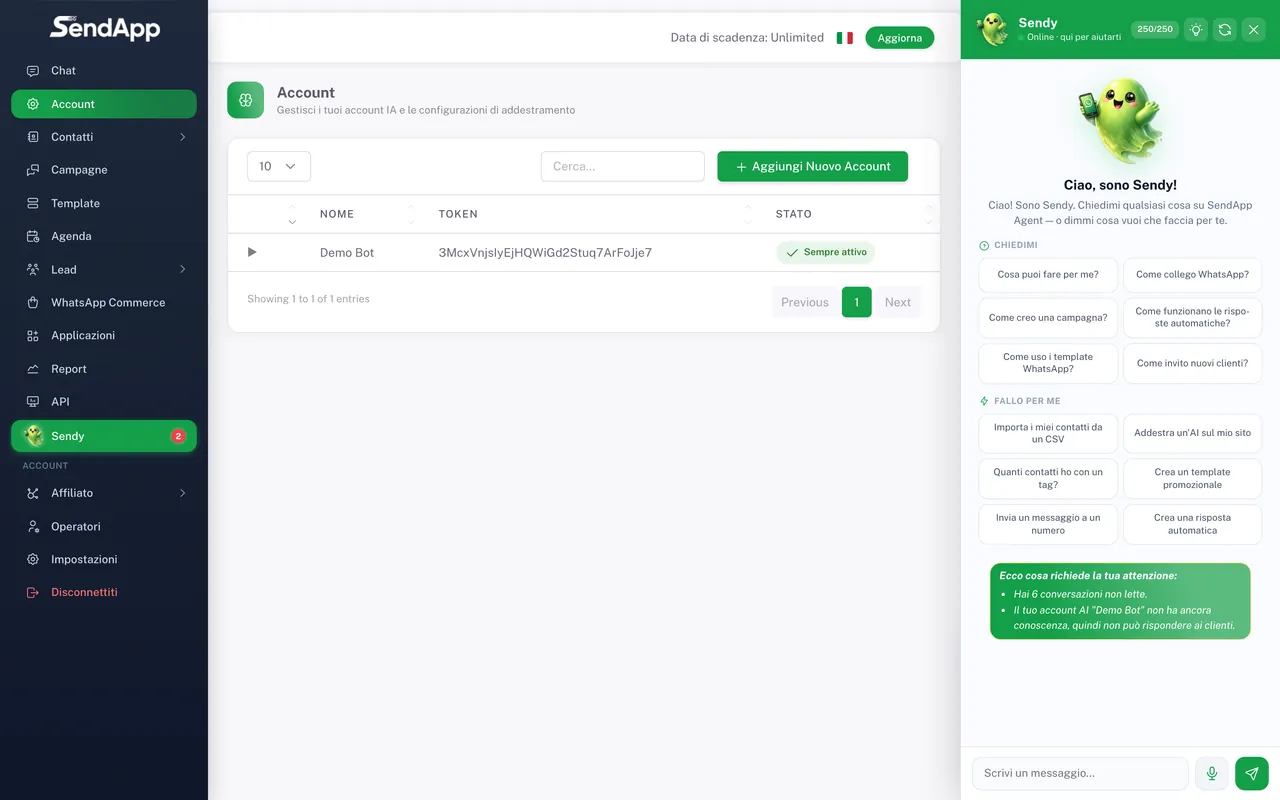
Sign-up and sign-in
- 1
Sign up
Create your account with your email. You can start with the free trial, no credit card required.
- 2
Confirm your email
Open the confirmation message you receive and activate your account.
- 3
Sign in
Enter your email and password: you land on the dashboard, on the Chat section.
What to do right afterward
- 1
Create your first Account (AI bot)
From the Account section you create your assistant: give it a name, and you'll be able to train it on your site, documents, and rules.
- 2
Connect a channel
Go to Applications and connect at least WhatsApp (see "Connect WhatsApp"). You can also add Telegram, Instagram, Email, SMS, and the site widget.
- 3
Train the AI
Add your website, PDFs, and rules to the Account, so the assistant responds with your data (see "Train the AI").
- 4
Run a test
Write to your number/channel and verify that the responses arrive in the Chat section.
Set the correct time zone right away in Settings: message times, campaigns, and reminders all depend on it.
Ready to put it into practice?
Open SendApp and follow the steps in this guide. Need help? Support is one message away.