

The latest version of Sendapp Desktop introduces an innovative feature to simplify the management of advertising campaigns: the’Automatic Registration. In this guide, we'll show you step-by-step how to activate and use this feature to collect contacts quickly and automatically. This feature also minimizes notifications on your account, as the customer themselves will accept the sending of promotional campaigns.
1. Activate Automatic Subscription
•Log in to Sendapp Desktop.
•Select the second icon from the top (Columns).
•To the right of the button Optimize, you will find the new button Automatic Registration.
•Click on Automatic Registration: a dedicated window will open with two main fields.

2. Set up Automatic Messages
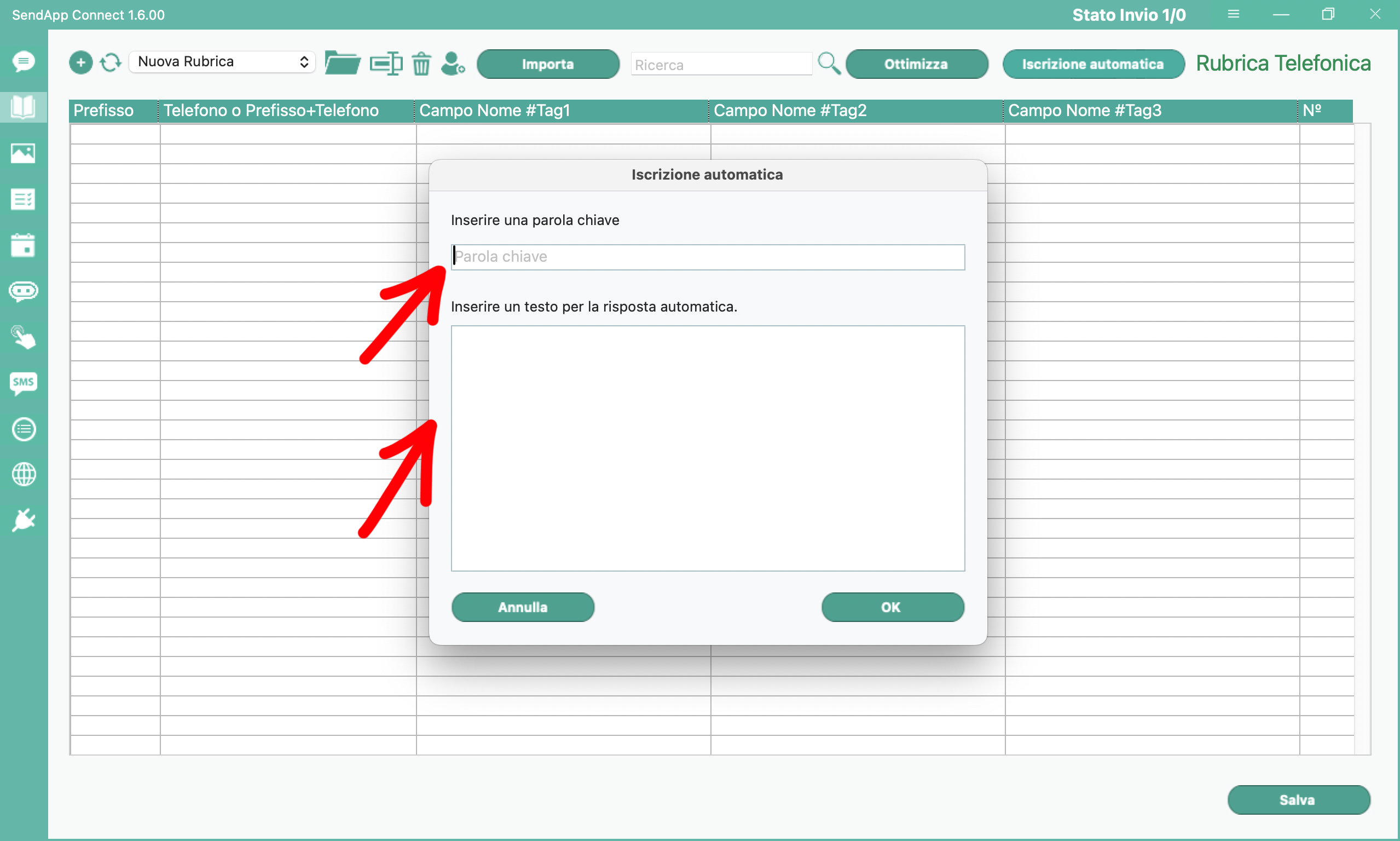
•Enter the keyword:
•In this field, write a keyword that customers will have to send in the chat to subscribe to your campaigns
•Example: sign up.
•Automatic reply:
•Enter the confirmation message here that will be automatically sent to the customer after registration.
• Example: You have successfully signed up for our campaigns.

3. Create the Click-to-Chat Link
To invite new customers to sign up, you need to create a personalized link that you can share via various channels, such as social media, SMS, or email.
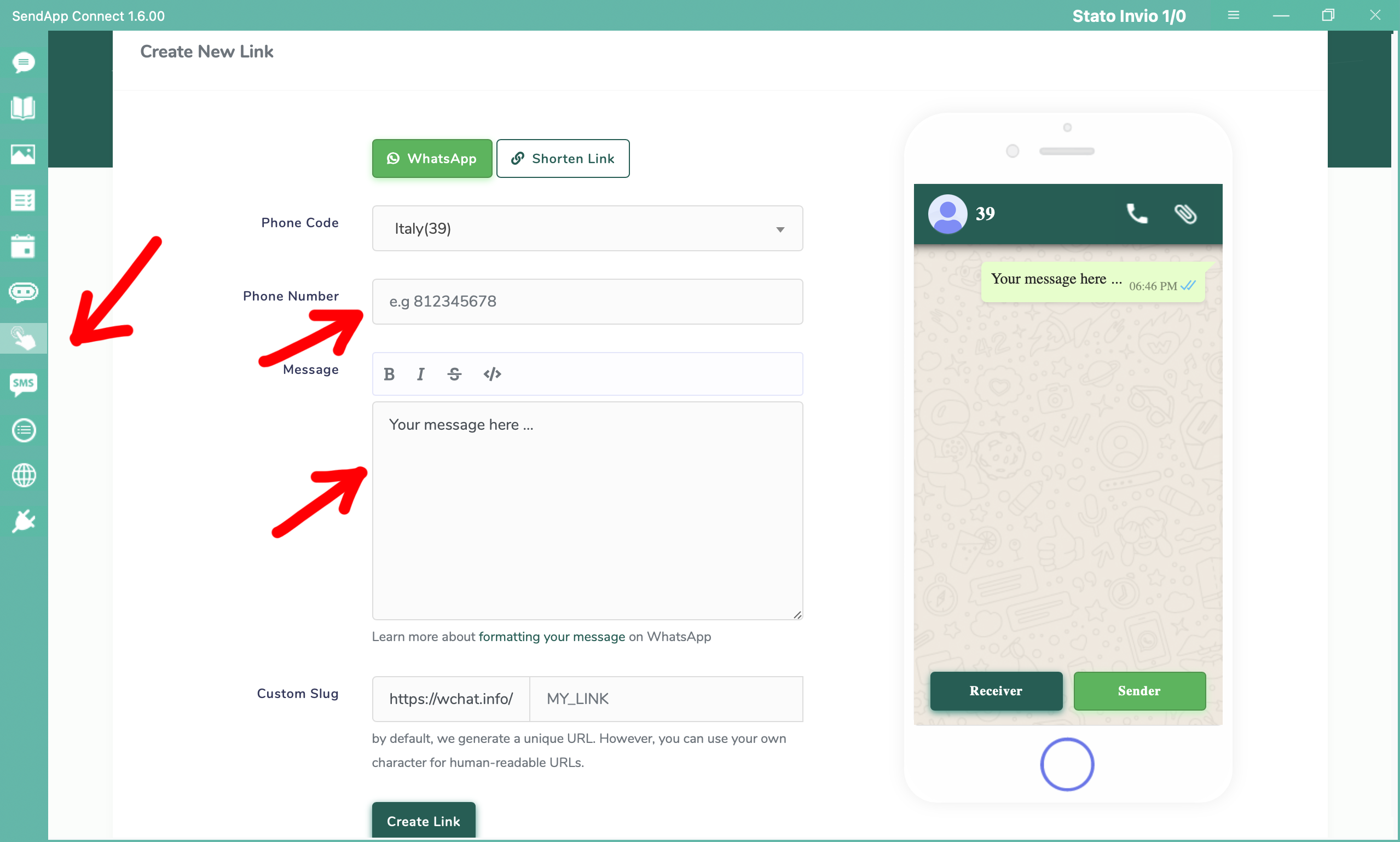
• Access Click-to-Chat:
• Click on the seventh icon from the top in the Sendapp Desktop menu.
• Fill in the required data:
• Telephone number: Enter your number, including the international prefix.
• Preset message:
• We recommend you to use a text like the following:
I would like to subscribe to your promotions and authorize the processing of personal data pursuant to the GDPR.
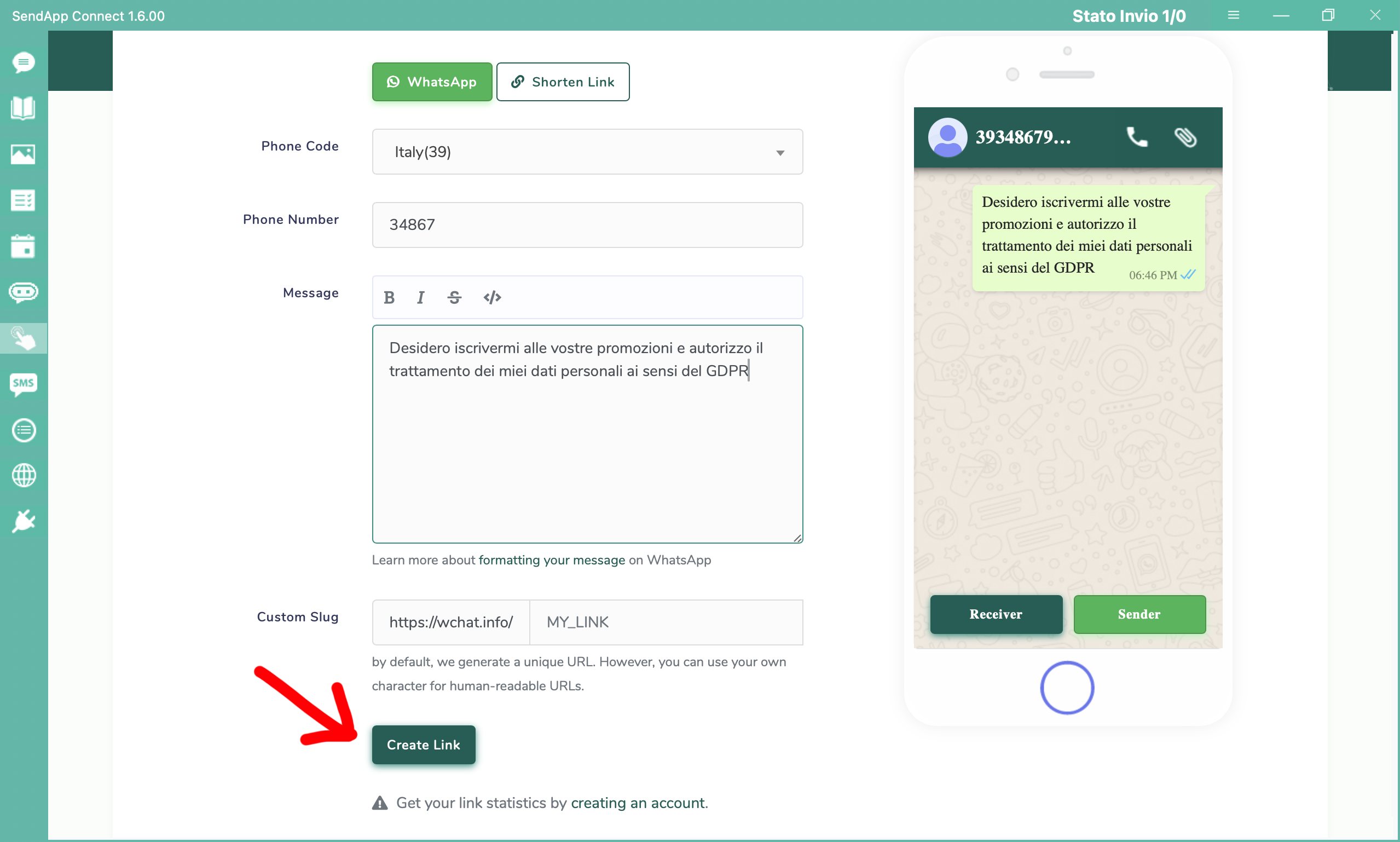
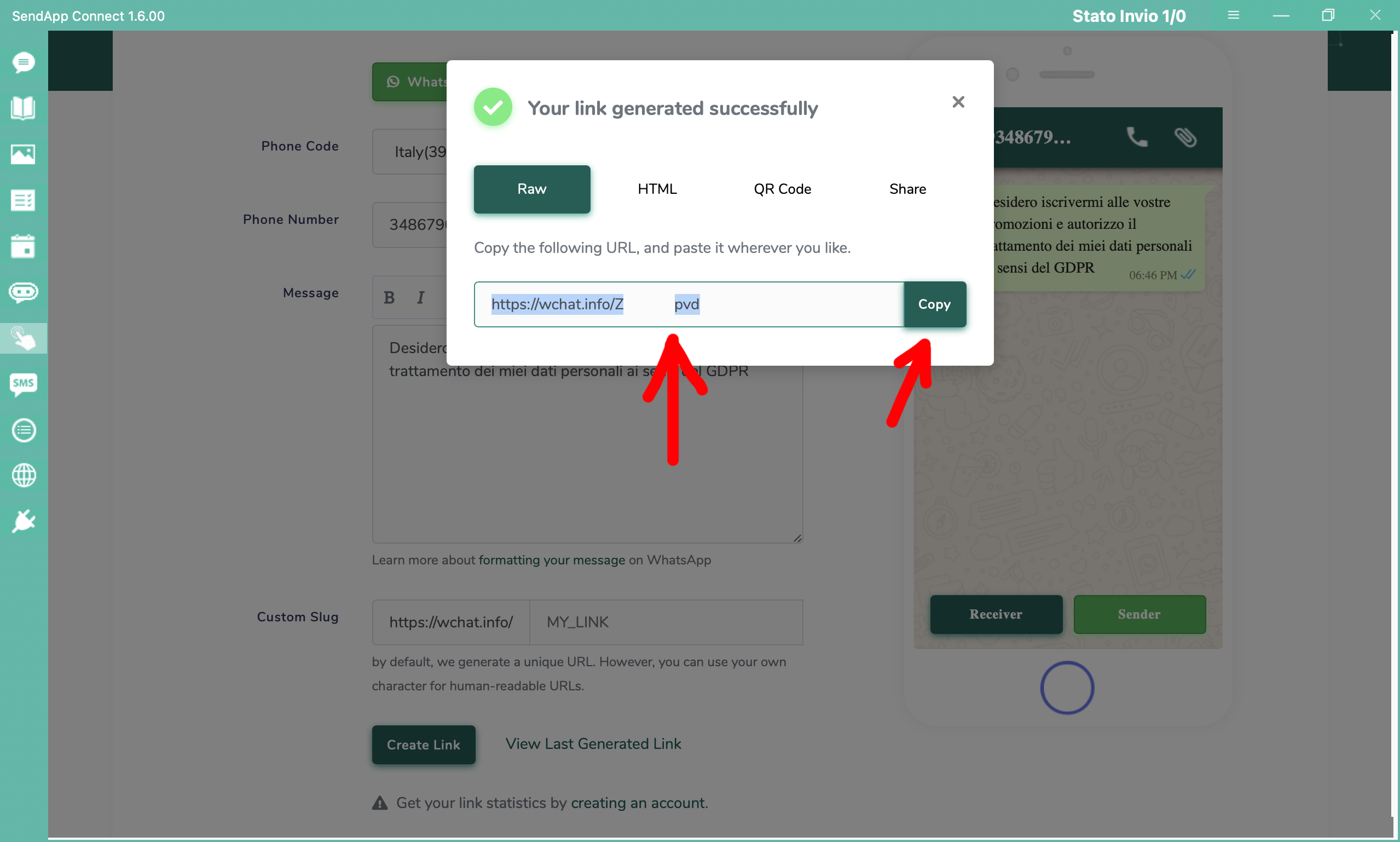
Share the link:
• After creating the link, you can send it through your preferred channels. When a customer clicks on the link:
1. A chat will automatically open with your number.
2. The message will already be filled in.
3. The customer will only have to send it.
4. Manage Automatic Subscribers
Once the customer sends the message with the keyword, he will be automatically added to a new address book called Subscribe Contacts. This address book will allow you to easily manage and organize the new contacts you collect.
With this feature, Sendapp Desktop makes it even easier to expand your contact network and automate the process of signing up for advertising campaigns.
Try Automatic Subscription now and improve the management of your promotions!