

Send abandoned cart recovery messages
Order notifications via WhatsApp/SMS to increase
engaging with your customers through
our free WooCommerce integration.
Instructions for using the SendApp WordPress Woocommerce plugin
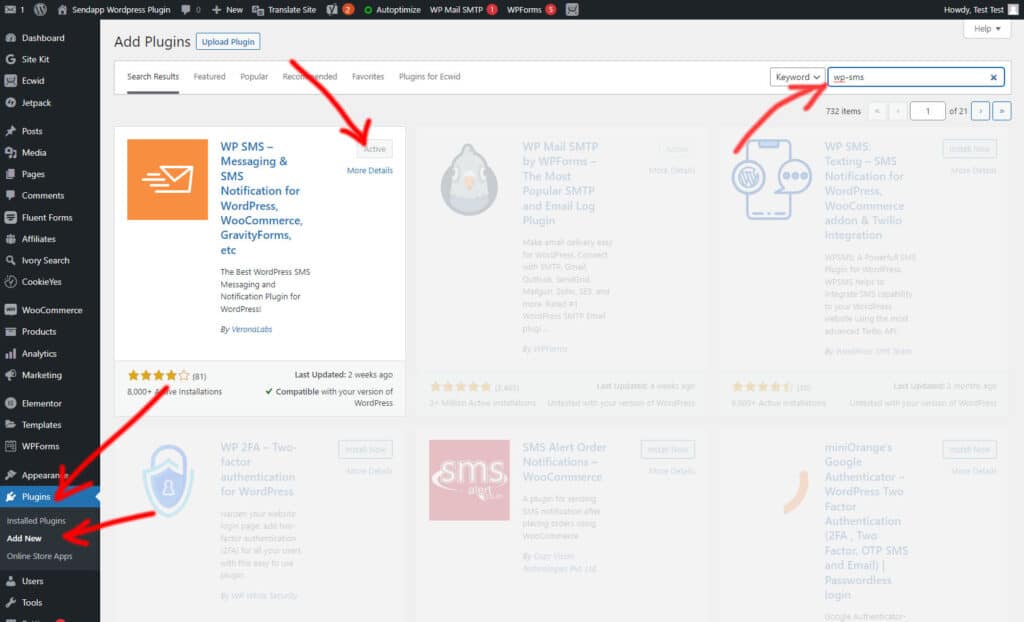
Installa e attiva il plugin wp-sms
From the WordPress admin dashboard (/wp-admin)
- Plugin / Aggiungi nuovo
- Nel campo di ricerca scrivi WP-SMS ed apparirà nella ricerca WP SMS – Messaging & SMS Notification for WordPress, WooCommerce”.
- Fai clic su Installa Adesso e WordPress farà la sua magia e installerà il Plugin.
- Once the installation is complete, activate the plugin.
Setting
Our goal is to provide as many features as possible so that you, as a site owner, can configure the plugin the way you want, while maintaining an easy-to-understand interface. But it's always good to know all the options.
The plugin is divided into three main sections.
Setting
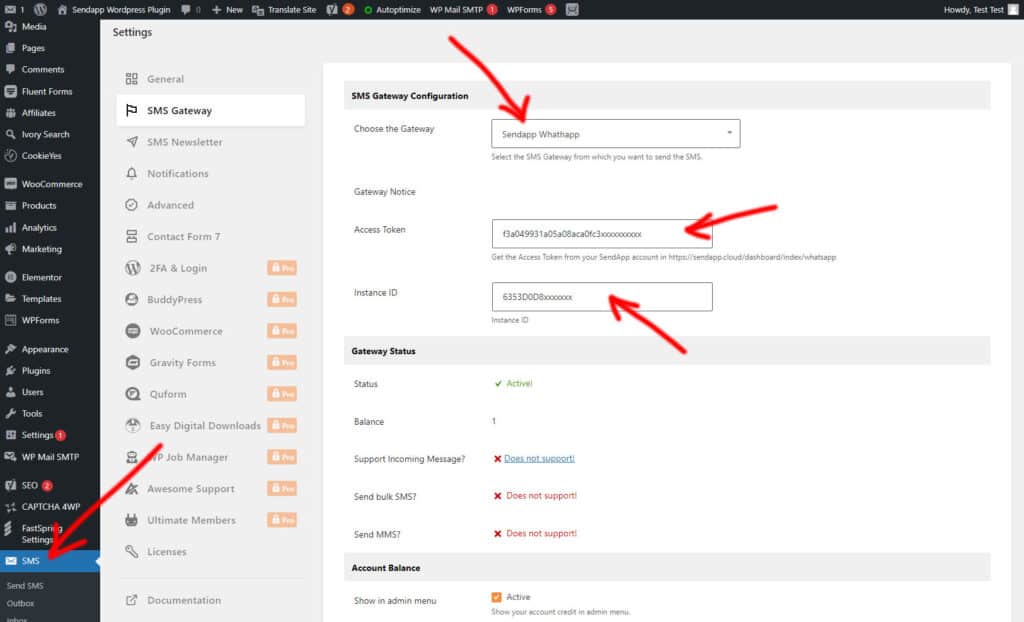
This way, you will be able to set up the Sendapp APIs and Gateway that you intend to use for sending WhatsApp messages or SMS. .
Sendapp Cloud API
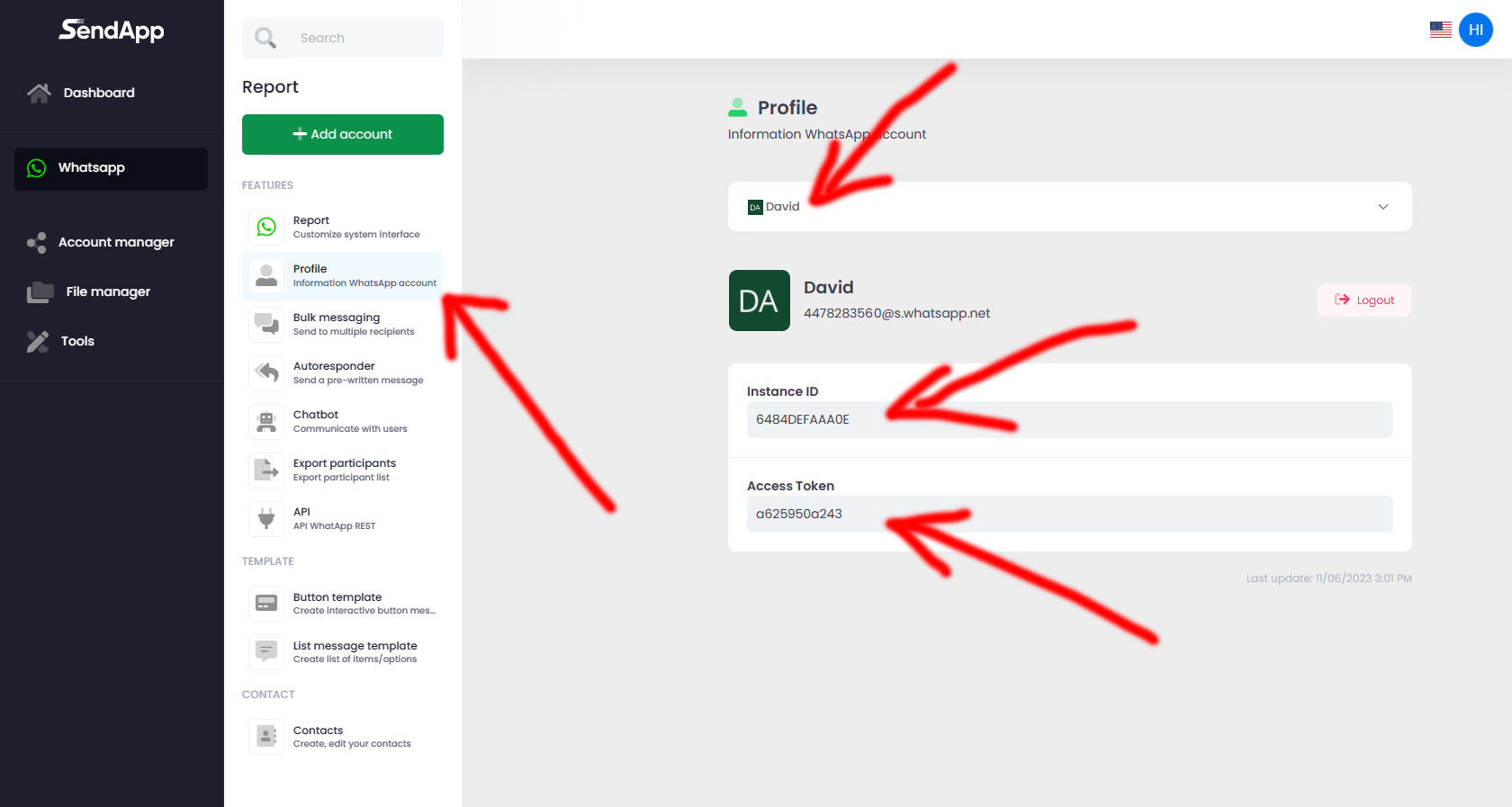
If you have the plan of https://app.sendapp.cloud You can create an instance with your personal multi-session or business multi-session WhatsApp account.
After creating the instance you can copy your Token and your Instance ID to paste it into your WordPress Sendapp Notification plugin
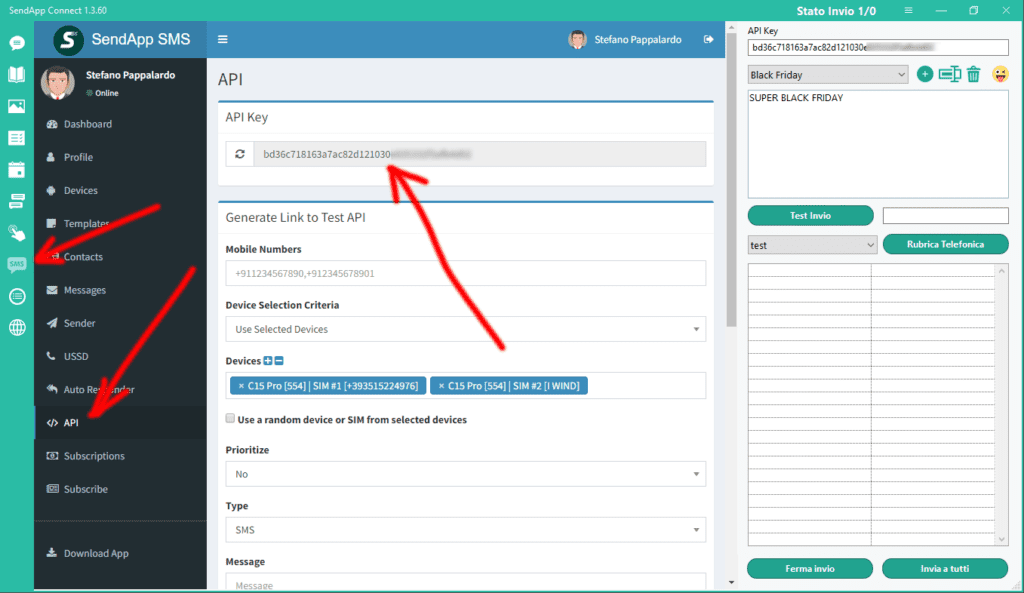
Sendapp SMS API
If you have the SMS Gateway of https://sms.sendapp.live puoi accedere alla tu API KEY per copiarla ed incollarla nel tuo plugin di WordPress
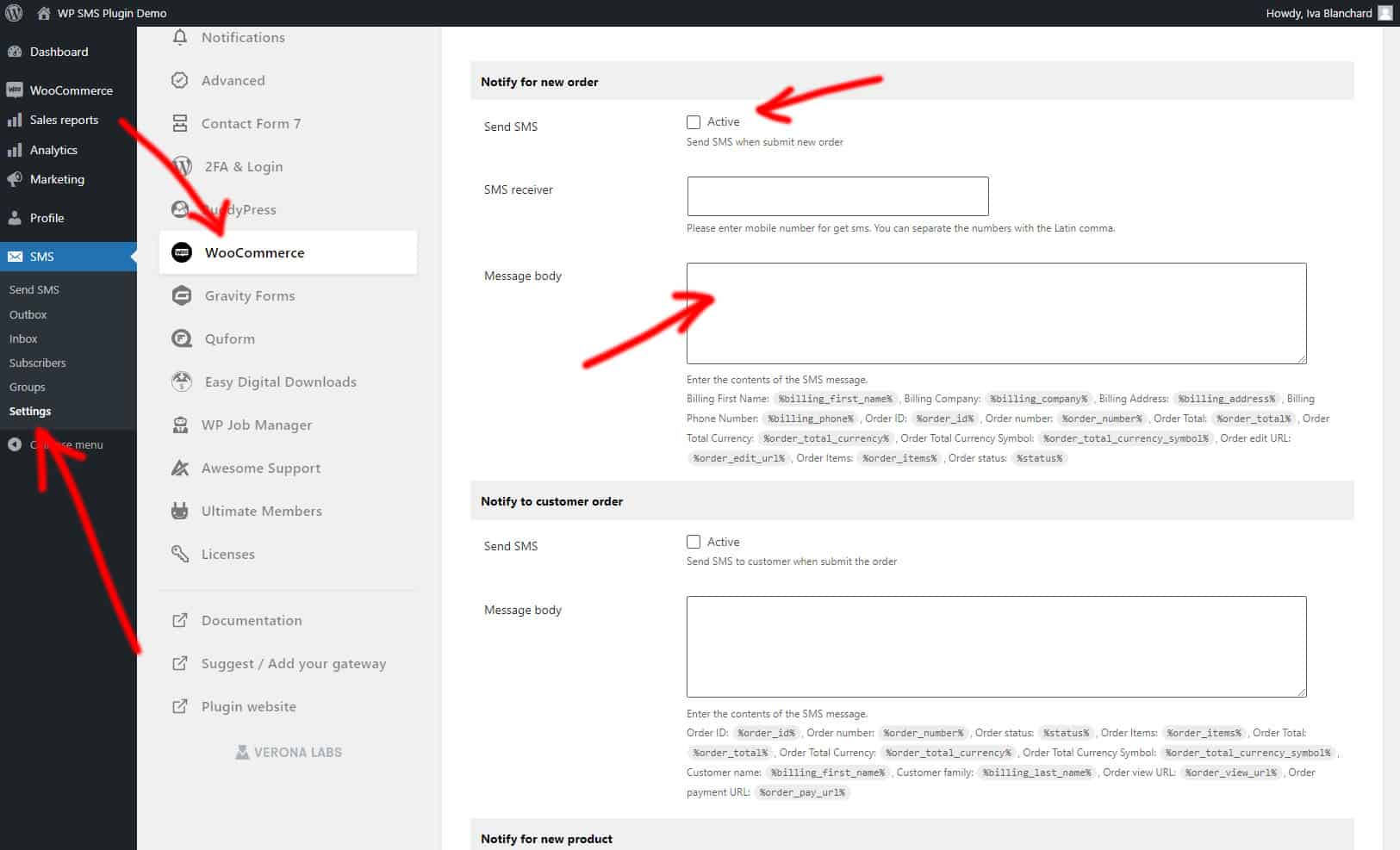
Configuring notification messages
Message Configuration
In this session you can activate and customize the notification messages you want to send to your customers.